
5 things to watch out for when using AI code generators for .NET modernisation
AI tools can substantially decrease the workload of a .NET migration. Used carelessly, they create misleading progress and a brittle foundation.
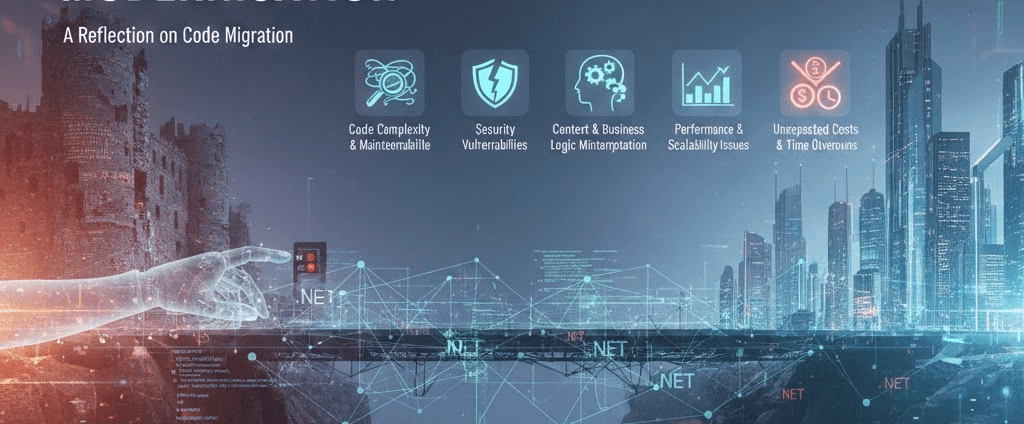
AI tools can substantially decrease the workload of a .NET modernisation, especially when teams treat them as an accelerator rather than a finish line. Used carelessly, they produce misleading progress indicators, particularly in enterprise settings where legacy codebases involve multiple complexity layers.
Five things I tell every team before they let an AI loose on production .NET code.
1. Modernisation involves multiple layers, not just syntax
Upgrading frameworks requires addressing the runtime environment, package dependencies, security posture and user interface functionality. Syntactically updated code can still contain incompatible libraries or outdated security practices. The compiler's approval is a low bar. Architectural correctness is the real bar.
2. Context window limitations are still real
Modern language models with expanded context windows cannot independently manage a large-scale enterprise migration. The model is not only reading source files. It also has to juggle architectural intent, business rules, UI flow, package constraints, security assumptions, migration strategy, and the output of earlier steps in the chain.
Proper decomposition and validation matter more than raw context capacity. Slice the work the model can actually hold in mind at once.
3. UI migration is where automation breaks first
Automated systems struggle with legacy interfaces featuring inconsistent structure, mixed rendering logic, conditional runtime construction and undocumented behaviour patterns. Web Forms and Silverlight migrations are the canonical examples. The right move is to extract intent from the legacy UI and have humans map that intent to modern Blazor or React, not to hope the AI guesses correctly.
4. Data protection: where does your code go?
Cloud-based code generation services transmit proprietary source code externally. For regulated industries that's a non-starter. We address this through locally hosted infrastructure: Ollama running on isolated multi-GPU systems disconnected from the internet. Code never leaves the perimeter. The migration speed-up is preserved. The IP exposure is not.
5. Define the architecture before generating code
Effective modernisation requires establishing product expectations and non-functional requirements before beginning migration work. What functionality must be preserved? What improvements are possible? What components can be eliminated? Without those answers, AI just produces faster versions of the wrong system.
Conclusion
Successful .NET modernisation depends on planning, secure execution environments and experienced guidance more than on raw automation speed. AI is a power tool. The discipline that decides whether it builds a house or wrecks one comes from the people holding it.
If you'd like to talk through your modernisation roadmap, start a conversation.